

For the American homeowner, the most fundamental promise of a robotic lawn mower is automation: it should work, recharge, and repeat—unattended. When that cycle breaks and your mower is stranded with a low battery, beeping helplessly far from its dock, the entire system fails. This isn’t a minor glitch; it’s a critical failure of the core “eat-sleep-work” loop. Fixing it requires understanding that docking is a complex ballet of hardware, software, and environmental signals.
A failure to dock is a symptom with multiple potential causes, ranging from a dirty contact to a fundamental flaw in your property’s setup. Panic-picking up the mower and manually placing it on the charger only masks the problem. This guide provides a systematic, engineer-level protocol to diagnose the root cause, execute a precise fix, and architect a reliable docking environment for good.
Phase 1: The Emergency Protocol & Immediate Inspection
First, Safely Recover the Patient. Manually guide or carry the mower to the dock. Observe the docking attempt closely.
-
The Forced Docking Test: In your app, select “Return to Docking Station” or “Go Home.” Watch its approach.
-
Does it aim correctly but stop short? → Likely a contact or alignment issue.
-
Does it drive past or circle aimlessly? → Likely a navigation/signal issue.
-
Does it dock, connect for a second, then disconnect? → Likely a power or electrical issue.
-
-
The 60-Second Physical Inspection:
-
Dock Contacts: Are the metal charging plates on the dock and mower clean, dry, and free of corrosion? A thin film of oxidation is an insulator. Clean with isopropyl alcohol and a cloth.
-
Dock Stability: Is the station firmly fixed to the ground? Has it shifted or sunk?
-
Approach Path: Is the direct 6-foot path to the dock clear of debris, tall grass, or minor obstructions like pinecones or a garden hose?
-
Power to the Dock: Is the dock’s power adapter plugged in? Is the outlet controlled by a switch that’s off? Test the outlet with another device.
-
Phase 2: The Tiered Diagnosis Framework
Work through these tiers in order. Do not skip ahead.
Tier 1: The “Guide Wire” & Local Signal Problem (Most Common)
For mowers that use a perimeter wire or a localized guide signal to find the dock.
-
Symptoms: Mower aims in wrong direction, circles, or shows “Searching for Docking Signal.”
-
Diagnosis 1 – Wire Break or Signal Loss: The guiding signal is interrupted.
-
Advanced Fix: Use a wire break detector (a specialized tool) or your mower’s built-in diagnostic to locate the break. Splice and waterproof the connection. For wireless guide systems, ensure the dock’s beacon transmitter is powered and unobstructed.
-
-
Diagnosis 2 – Signal Interference: New underground wiring (low-voltage lighting, invisible dog fence) or large metal objects near the guide path can disrupt magnetic guidance signals.
-
Advanced Fix: Temporarily disable other systems to test. You may need to re-route the guide wire away from interference sources.
-
Tier 2: The Precision Navigation Problem (For GPS/RTK Mowers)
For high-end mowers that use satellite positioning to map the dock’s exact coordinates.
-
Symptoms: Mower drives to the general area but fails to align, or aborts with a “Docking Failed” error.
-
Diagnosis 1 – “Dock Offset” Error: The dock’s mapped location is slightly wrong. This happens if the dock was moved after initial setup or due to cumulative GPS drift.
-
Professional Fix: Use your app’s “Re-teach Dock Position” or “Recalibrate Home” function. Precisely follow the instructions, often involving parking the mower perfectly on the dock and saving the new coordinates.
-
-
Diagnosis 2 – Localized GPS “Canyon”:
-
Professional Fix: The dock area must have a clear, wide view of the sky. If it’s tucked under a deep roof overhang or between two tall walls, the mower loses signal just as it needs precision. Move the dock to a more open location. This is often the permanent solution.
-
Tier 3: The Electrical & Hardware Problem
The mower finds the dock, but energy doesn’t transfer.
-
Symptoms: Mower docks, beeps, then undocks after a few seconds. Charging light flickers.
-
Diagnosis 1 – Low Voltage at the Dock: Using a long, thin-gauge extension cord or sharing an outlet with high-draw appliances causes voltage drop. The dock receives insufficient power.
-
Professional Fix: Plug the dock directly into a dedicated outlet. If an extension cord is mandatory, use the shortest, heaviest-gauge (12 or 14 AWG) outdoor-rated cord available.
-
-
Diagnosis 2 – Weak Battery or Failed Charger: The battery is so depleted it cannot accept a charge, or the power adapter has failed.
-
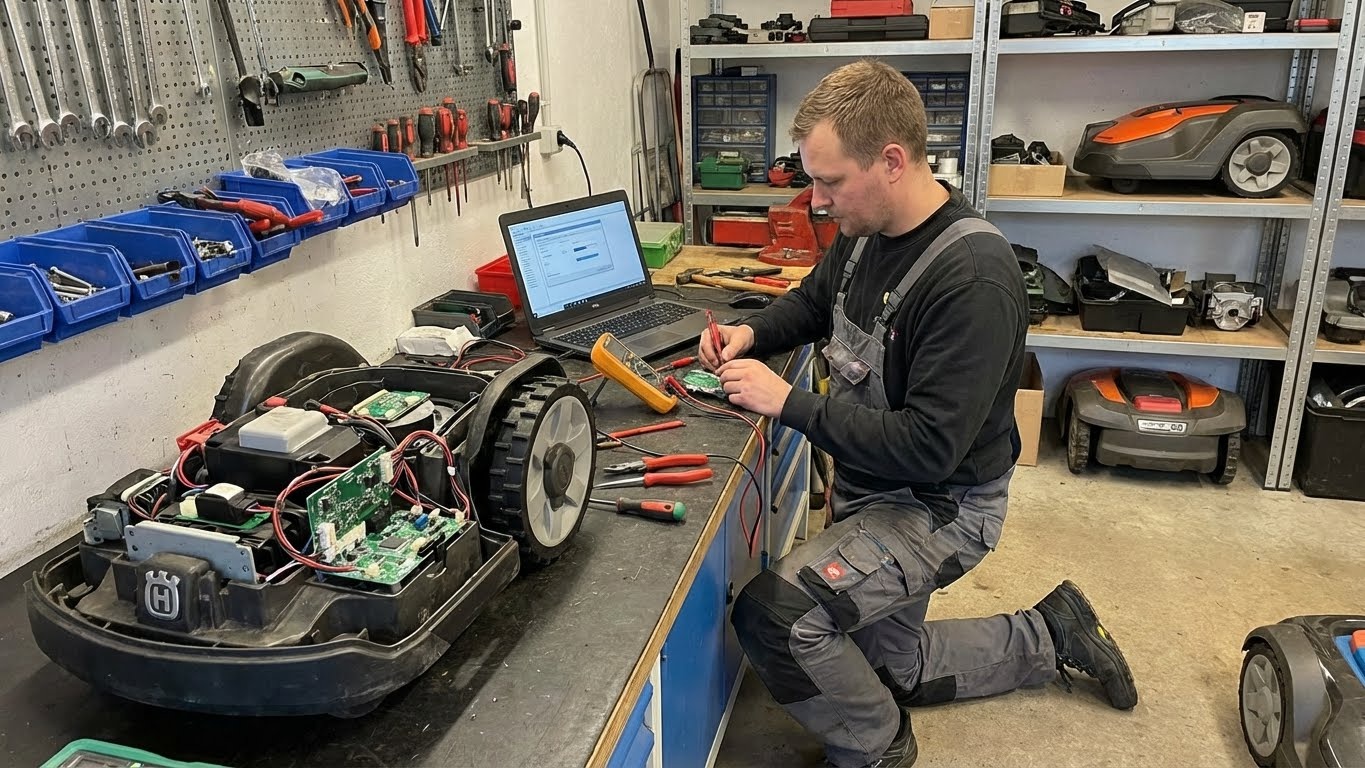
Professional Fix: Use a multimeter to test the power adapter’s output voltage. If it’s significantly below the rated voltage (e.g., 24V), it’s faulty. If the battery is deeply drained, a professional charger may be needed to “jump” it.
-
-
Diagnosis 3 – Worn or Misaligned Contacts: After thousands of cycles, contacts can wear down or bend.
-
Professional Fix: Visually inspect for pitting or discoloration. Ensure the spring-loaded contacts on the mower move freely. Misalignment may require a physical adjustment of the docking plate.
-
Phase 3: The Environmental & Interference Audit
Often overlooked, the operating environment is a key culprit.
-
The “Morning Dew” Effect: A perfectly functioning system in the afternoon may fail at 7 AM. Heavy dew on the charging contacts acts as an insulator. Some premium docks have self-cleaning/scrubbing contacts to mitigate this.
-
The “High Noon” Solar Glare Effect: For mowers that use vision cameras to align with the dock, direct, blinding sunlight into the camera at certain times of day can render it useless.
-
Fix: Adjust the mower’s schedule to dock before sunrise or later in the afternoon, or provide slight shade to the dock’s approach path.
-
-
The “Laser Trap” Effect: Tall, stiff grass or overgrown weeds around the dock can physically block the mower’s final approach or lift its chassis just enough to misalign contacts.
-
Fix: Maintain a clean, hard, or closely-mowed “landing pad” around the docking station.
-
Phase 4: The Proactive Reliability Blueprint
Build a system that never fails.
-
Engineer the Perfect Dock Site: Choose a location that is flat, firm, open to the sky, close to a dedicated outlet, and free of visual obstructions. Think of it as building a small airport runway.
-
Install a Docking “Runway”: Lay a permeable paving grid or sturdy patio stone in front of the dock. This prevents erosion, sinking, and weed growth, guaranteeing a consistent approach year-round.
-
Implement a “Heartbeat” Monitor: Plug the docking station into a smart plug. You can then:
-
Remotely power cycle the dock if you get an offline alert.
-
Set an automatic nightly reboot to clear any electronic glitches.
-
Monitor energy usage; a sudden drop to zero indicates a power failure.
-
-
Schedule a “Dock & Check” Ritual: In your app, set a recurring daily or weekly time for the mower to dock. Use this as a guaranteed window to visually inspect contacts and clearance.
When to Escalate: The Limits of Home Repair
Contact technical support if:
-
The power adapter tests faulty.
-
Physical components (charging arms, dock housing) are cracked or broken.
-
All diagnostics point to an internal battery management system (BMS) failure or a mainboard issue.
-
You have performed a full reset and re-teach of the dock position with no improvement.
Provide Support With: 1) Video of a failed docking attempt, 2) Your multimeter readings of dock voltage, 3) A clear photo of your dock’s installation environment.
Conclusion: From Intermittent Failure to Absolute Certainty
Resolving chronic docking failures is an exercise in system engineering. It moves you from being a victim of random malfunctions to being the architect of a robust supply chain for your lawn robot.
The goal is not just to get the mower charged tonight, but to design a charging habitat so reliable that you forget the dock even exists. You achieve true “set-and-forget” automation when the machine’s need for energy becomes an invisible, flawless subroutine. By mastering this protocol, you replace anxiety with confidence, knowing that your mower will always find its way home, power up, and be ready for its next task—silently sustaining the perfect lawn you bought it to create.